


-

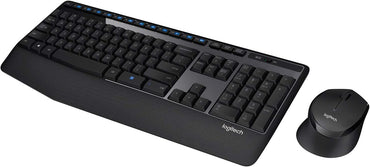
Logitech MK345 Wireless Keyboard and Mouse Combo
Regular price KSh4,999.00Sale price KSh4,999.00 Regular priceUnit price perSale Sold outLogitech MK345 Wireless Keyboard and Mouse Combo is a reliable, comfortable, and productivity-focused input solution designed for users who value long battery life, ergonomic comfort, and...
-
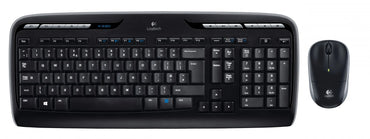
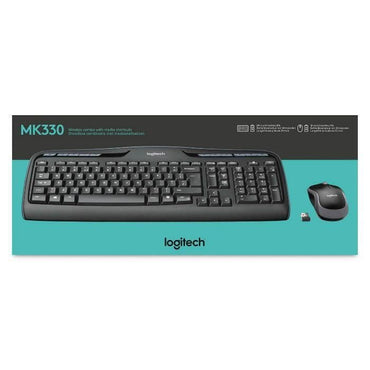
Logitech MK330 Wireless Keyboard & Mouse Combo
Regular price KSh5,500.00Sale price KSh5,500.00 Regular priceUnit price perSale Sold outLogitech MK330 Wireless Keyboard and Mouse Combo - Reliable Desktop Solution Key Highlights Unmatched 3-Year Battery Life – Industry-leading power efficiency means the keyboard and...
-
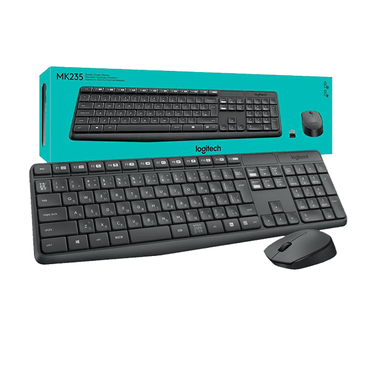
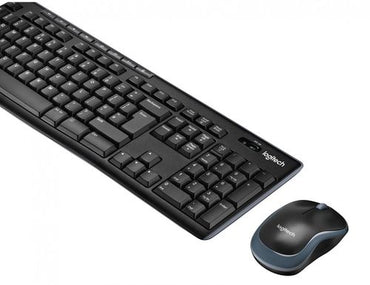
Logitech Wireless Combo MK270 – Keyboard and mouse set – 2.4 GHz
Regular price KSh4,000.00Sale price KSh4,000.00 Regular priceUnit price perSale Sold outLogitech Wireless Combo MK270 – Keyboard and Mouse Set – 2.4 GHz The Logitech Wireless Combo MK270 is a reliable and affordable keyboard and mouse set...
-
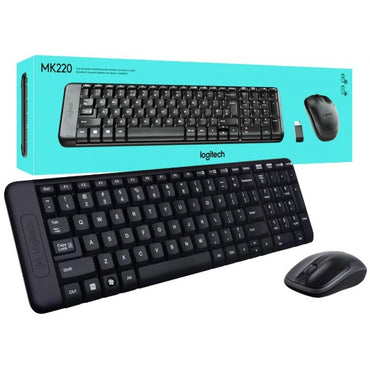
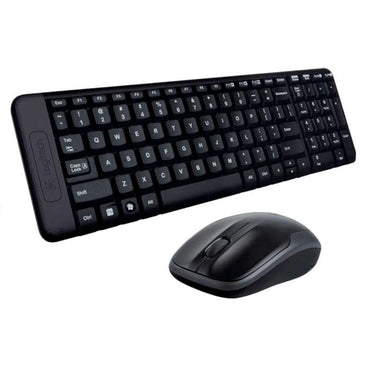
Logitech MK220 Wireless Keyboard & Mouse Combo — Compact, Spill-Resistant
Regular price KSh3,499.00Sale price KSh3,499.00 Regular priceUnit price perSale Sold outLogitech MK220 Wireless Keyboard & Mouse Combo Compact, Spill-Resistant Design • 2.4GHz Wireless • 3-Year Battery Life Best Value Wireless Combo in Kenya Official Logitech Warranty...
-
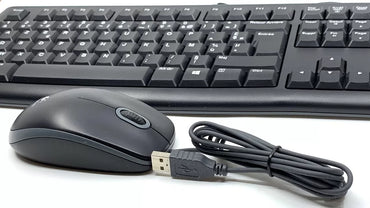
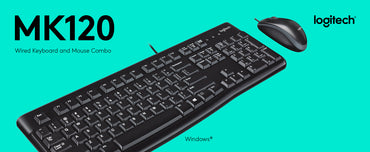
Logitech MK120 Wired Keyboard & Mouse Combo — Full-Size, Spill-Resistant
Regular price KSh3,499.00Sale price KSh3,499.00 Regular priceUnit price perSale Sold outLogitech MK120 Wired Keyboard & Mouse Combo – Full-Size, Spill-Resistant Design Upgrade your everyday computing experience with the Logitech MK120 Wired Keyboard and Mouse Combo. Built...
-
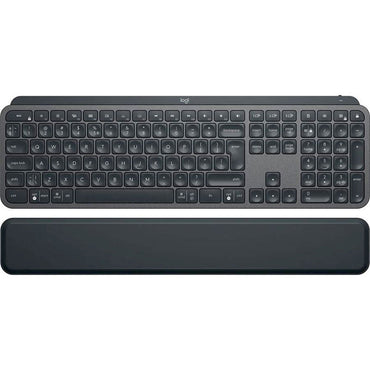
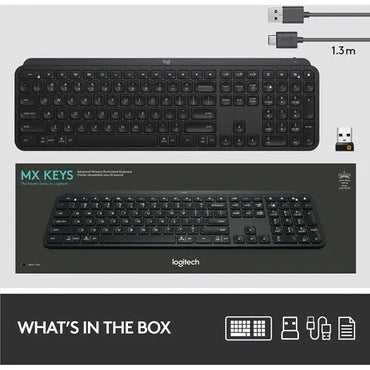
Logitech MX Keys Plus Backlit Bluetooth Keyboard with Palm Rest
Regular price KSh19,000.00Sale price KSh19,000.00 Regular priceUnit price perSale Sold outLogitech MX Keys Plus Backlit Bluetooth Keyboard with Palm Rest The Logitech MX Keys Plus Backlit Bluetooth Keyboard with Palm Rest is a premium wireless keyboard...
-
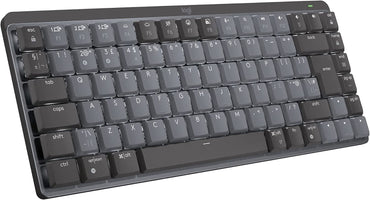
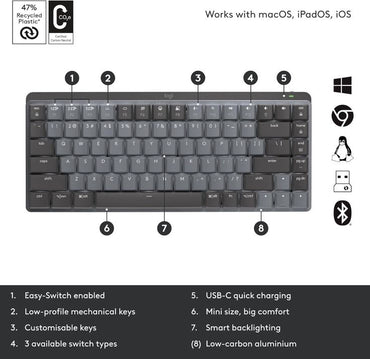
Logitech MX Mechanical Mini — Low-Profile Mechanical Keyboard
Regular price KSh25,500.00Sale price KSh25,500.00 Regular priceUnit price perSale Sold outLogitech MX Mechanical Mini Low-Profile Mechanical Keyboard Designed for modern professionals, developers, architects, writers, and power users, the Logitech MX Mechanical Mini delivers premium mechanical performance...
-

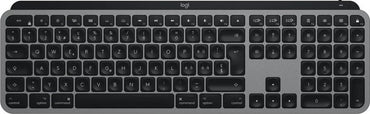
Logitech MX Keys S Backlit Bluetooth Keyboard — Rechargeable USB-C
Regular price KSh30,000.00Sale price KSh30,000.00 Regular priceUnit price perSale Sold outLogitech MX Keys S Backlit Bluetooth Keyboard — Rechargeable USB-C Short IntroDesigned for professionals who demand precision, comfort, and intelligence from their workspace, the Logitech MX...
-
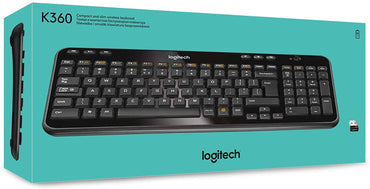
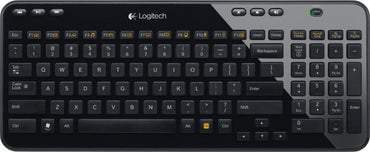
Logitech K360 Wireless Keyboard — Compact 2.4GHz Unifying Keyboard
Regular price KSh4,800.00Sale price KSh4,800.00 Regular priceUnit price perSale Sold outLogitech K360 Wireless Keyboard – Compact, Reliable & Long Battery Life Experience freedom, comfort, and efficiency with the Logitech K360 Wireless Keyboard. Designed for everyday productivity,...
-
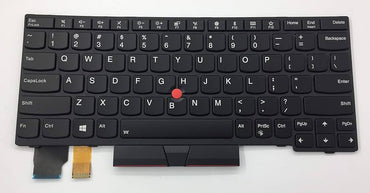
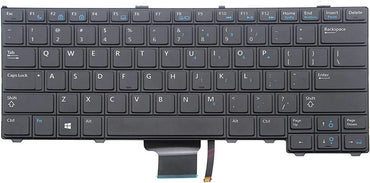
Backlit Laptop Keyboards — HP, Lenovo, Dell & Toshiba Replacements
Regular price From KSh3,500.00Sale price From KSh3,500.00 Regular priceUnit price perKSh3,850.00Sale Sold outUpgrade your typing experience with premium backlit laptop keyboard replacements designed for HP, Lenovo, Dell, and Toshiba laptops. Available at Zentech Electronics Kenya, these keyboards deliver...


At a glance
Collection summary: Zentech Electronics Kenya sells Keyboards from The Bazaar Plaza, Moi Avenue, Nairobi. 22 products are listed. Pay with M-Pesa, cards, bank transfer, or cash on delivery within Nairobi. Pickup, same-day Nairobi delivery, and countrywide courier shipping.
- Best for
- Nairobi and Kenya shoppers comparing genuine Keyboards with store pickup, warranty included, and cash/M-Pesa checkout.
- Key benefits
- Authentic stock, in-store inspection before buying, M-Pesa checkout, same-day Nairobi delivery, and Kenya-wide shipping.
- Unique features
- Showroom at The Bazaar Plaza, 10th floor, Wing A, Suite 1038, Nairobi CBD. WhatsApp +254 739 238 917. In-store inspection before payment.
- Use cases
- Home, office, school, and business buyers who need genuine Keyboards in Kenya with reliable local support.
Computer Keyboards in Kenya – Wireless Multi-Device, Mechanical & Ergonomic Office Keyboards in Nairobi
Whether you are authoring thousands of lines of software code, processing high-volume accounting ledgers in Excel, designing creative graphics, or competing in intense eSports tournaments, the external computer keyboard is your primary instrument of productivity. A mushy, unresponsive, or poorly aligned keyboard leads to typing fatigue, frequent input errors, and chronic repetitive strain injury (RSI) across the wrists and forearms. At Zentech Electronics Kenya, we provide an expansive selection of high-performance desktop keyboards engineered for speed, acoustic satisfaction, and long-term durability.
Our desktop keyboard collection spans custom mechanical keyboards with hot-swappable switches, whisper-quiet office wireless membrane keyboards, orthopedic curved ergonomic keyboards with cushioned wrist rests, and sleek scissor-switch multi-device boards from industry leaders including Logitech, HP, Dell, Redragon, and Keychron. Located in the heart of Nairobi at The Bazaar Plaza, along Moi Avenue, 10th Floor, Wing A, Suite 1038, our specialists invite you to test key actuation, acoustic sound profiles, and multi-OS pairing before purchasing.
Table of Contents: Computer Keyboard Architecture & Selection Guide
- Ecosystem Architecture: Mother-Child Structural Hierarchy
- Switch Engineering: Mechanical vs. Scissor vs. Membrane
- Mechanical Switch Colors: Red Linear, Brown Tactile & Blue Clicky
- Form Factor Ergonomics: Full 100%, TKL 80% & Compact 65%
- Keycap Materials: Double-Shot PBT vs. Standard ABS Plastics
- Orthopedic Ergonomics: Split Layouts, Wave Curves & Pillowed Rests
- Wireless Protocols: Multi-Device Bluetooth, Logi Bolt & 2.4GHz RF
- Comprehensive Computer Keyboard Price Guide (KES)
- Frequently Asked Questions (FAQ)
- Nairobi Showroom Typing Demos, Warranty & Countrywide Dispatch
Read Complete Desktop Keyboard Engineering & Buying Manual
1. Ecosystem Architecture: Mother-Child Structural Hierarchy
Within our store taxonomy, this collection operates as a dedicated child product hub under our overarching Computer Accessories in Kenya mother collection. It is crucial to distinguish this standalone desktop peripheral collection from internal replacement parts: while internal laptop repairs belong under Laptop Keyboard Replacements in Kenya, this collection focuses strictly on external wired and wireless keyboards used with desktop workstations, docks, and external displays.
External keyboards naturally pair with precision pointing peripherals in Logitech Mouse in Kenya and corporate productivity machines in Laptops in Kenya. By maintaining clear architectural boundaries, we eliminate keyword cannibalization and guide users directly to their exact workspace needs.
2. Switch Engineering: Mechanical vs. Scissor vs. Membrane
The typing sensation, acoustic profile, and lifespan of a keyboard are dictated entirely by the underlying switch mechanism:
Mechanical Switches (50M – 100M Keystrokes)
Each key operates on an independent mechanical housing with a metal leaf spring and gold-plated electrical contacts. Delivers distinct tactile feedback, zero ghosting (N-Key Rollover), and instantaneous actuation halfway through the stroke without needing to bottom out.
Scissor-Switch Low Profile (15M – 20M Keystrokes)
Utilizes an interlocking X-shaped scissor hinge that stabilizes key depression, preventing key wobble when struck off-center. Features short 1.5mm to 1.8mm travel with a crisp tactile bump, popularized by the Logitech MX Keys and Apple Magic Keyboard.
Rubber Dome Membrane (5M – 10M Keystrokes)
Keys press down on a continuous silicone rubber sheet with conductive carbon pills that touch underlying circuit traces. Whisper quiet, highly cost-effective, and spill-resistant, making them ideal for high-traffic general office pools.
Optical-Mechanical Hybrid Switches
Replaces physical metal contacts with an infrared light beam. When the key is pressed, it interrupts the light path, achieving near-zero debounce latency (0.2ms) for competitive gaming.
For technical whitepapers detailing ergonomic keyboard posture, scissor switch mechanics, and wireless encryption standards, visit Logitech (Official Global Engineering Portal).
3. Mechanical Switch Colors: Red Linear, Brown Tactile & Blue Clicky
Navigating mechanical keyboards requires understanding the standardized switch color spectrum:
- Red Linear Switches (45g Actuation Force): Smooth and uninterrupted travel from top to bottom with zero tactile bump. Preferred by gamers for rapid double-tapping and by office typists who prefer a light, fluid keystroke without noise.
- Brown Tactile Switches (55g Actuation Force): The undisputed hybrid champion. Features a subtle physical bump at the 2mm actuation point, confirming that the keystroke registered without making a sharp click. Ideal for programmers, writers, and open-plan offices.
- Blue Clicky Switches (60g Actuation Force): Delivers both a pronounced physical tactile bump and a sharp, audible typewriter click. Highly satisfying for solo typists who want definitive auditory confirmation of every character.
4. Form Factor Ergonomics: Full 100%, TKL 80% & Compact 65%
Keyboard width directly influences desk space and mouse positioning:
- Full-Size (100% – 104 Keys): Includes dedicated numeric keypad, arrow cluster, and F-row. Indispensable for accountants, data entry clerks, and financial analysts in Kenya who process numbers daily in QuickBooks and Excel.
- Tenkeyless (TKL – 80% – 87 Keys): Eliminates the numeric keypad while preserving the dedicated arrow keys and navigation cluster. This reduces keyboard width by 8 to 10 centimeters, allowing the mouse to sit closer to your body's center line, reducing shoulder strain.
- Compact (65% / 75%): Minimalist form factors that retain arrow keys within a condensed layout. Highly sought after by software engineers, remote digital nomads, and gamers with compact desktop setups.
5. Keycap Materials: Double-Shot PBT vs. Standard ABS Plastics
Over months of intense typing, cheap keycaps degrade noticeably:
- Acrylonitrile Butadiene Styrene (ABS): Common on budget keyboards. ABS is an impact-resistant polymer, but skin oils from fingers gradually polish the textured surface, resulting in an unsightly greasy shine and faded key legends after 6 to 12 months.
- Polybutylene Terephthalate (PBT): A premium, dense thermoplastic. PBT keycaps feature a dry, finely textured matte feel that resists skin oils and never develops a shiny worn surface. Our "Double-Shot" PBT keycaps are molded from two separate layers of plastic, meaning the lettering will never rub off or fade over decades of use.
6. Orthopedic Ergonomics: Split Layouts, Wave Curves & Pillowed Rests
Traditional flat rectangular keyboards force the hands into ulnar deviation (bending wrists outward toward the pinky finger) and forearm pronation. Over time, this posture strains tendons, contributing to carpal tunnel symptoms.
Logitech's ergonomic line—such as the Logitech Ergo K860 and Logitech Wave Keys—introduces scientifically validated relief:
- Curved / Split Keyframe: Angles the key beds to align naturally with the angle of human arms extending from the shoulders, reducing wrist bend by up to 54%.
- Pillowed Wrist Rest with Memory Foam: Three layers of comfort (high-density foam, memory foam, and easy-clean stain-resistant fabric) elevate the palms to neutral horizontal alignment.
- Reverse Tilt Legs: Elevates the front of the keyboard rather than the back, ensuring wrists remain flat even when working from standing desks.
7. Wireless Protocols: Multi-Device Bluetooth, Logi Bolt & 2.4GHz RF
Modern professionals rarely work on a single screen. Flagship keyboards like the Logitech MX Keys S and Signature K650 feature advanced multi-device wireless management:
Equipped with Easy-Switch technology, you can pair the keyboard to your Windows desktop, MacBook Pro, and iPad simultaneously. Pressing key 1, 2, or 3 instantly shifts control between devices with zero lag. Combined with FIPS-compliant Logi Bolt wireless encryption and Bluetooth Low Energy, your keystrokes are securely shielded against wireless eavesdropping in dense corporate environments.
8. Comprehensive Computer Keyboard Price Guide (KES)
Explore current market pricing for genuine desktop keyboards available at Zentech Electronics Kenya:
| Keyboard Model & Series | Switch Architecture / Layout | Connectivity Type | Price Range (KES) | Warranty Coverage |
|---|---|---|---|---|
| Logitech MX Keys S / MX Mechanical | Low-Profile Tactile / Smart Illumination | Logi Bolt + Bluetooth (3 Devices) | KES 16,500 – 21,500 | 12 Months |
| Logitech Ergo K860 / Wave Keys | Curved Split Orthopedic / Pillowed Rest | Logi Bolt + Bluetooth Low Energy | KES 12,500 – 16,000 | 12 Months |
| Logitech Signature K650 (Office Comfort) | Deep Cushion Membrane / Integrated Rest | Wireless Bluetooth + Bolt Receiver | KES 6,500 – 8,000 | 12 Months |
| Logitech K380 Multi-Device Pebble | Scissor-Switch Low Profile / Compact | Bluetooth 3-Device Switching | KES 4,500 – 5,500 | 12 Months |
| Redragon Mechanical RGB (K552 / K556) | Hot-Swap Red / Brown Switches / Double PBT | Detachable USB-C / 2.4G / BT | KES 5,800 – 9,500 | 12 Months |
| Logitech MK270 / MK295 Silent Wireless Combo | SilentTouch Membrane + Wireless Mouse | 2.4GHz Nano USB Dongle | KES 3,800 – 4,800 | 12 Months |
| Standard USB Wired Office Keyboard (HP / Dell) | Full-Size 104-Key Spill Resistant | Plug-and-Play USB-A Cable | KES 1,500 – 2,500 | 12 Months |
9. Frequently Asked Questions (FAQ)
10. Nairobi Showroom Typing Demos, Warranty & Countrywide Dispatch
Transform your daily typing experience with a keyboard engineered for tactile precision, speed, and ergonomic comfort. Visit our central Nairobi tech showroom to experience authentic desktop keyboards backed by full 12-month manufacturer warranties.
Visit Zentech Electronics Kenya – Central Nairobi CBD
Experience precision mechanical and wireless keyboards, live typing demos, and same-day delivery:
- Store Address: The Bazaar Plaza, along Moi Avenue, 10th Floor, Wing A, Suite 1038, Nairobi, Kenya
- Operating Hours: Monday – Saturday: 8:00 AM to 6:30 PM | Closed Sundays & Public Holidays
- Direct Telephone / WhatsApp Consultation: +254 739 238 917
- Online Store: zentechelectronics.com
All computer keyboards include our 12-month hardware warranty and express 24-hour insured courier delivery across all 47 Kenyan counties.
Top Rated
-

Silicone AirPods Case – Slim, Durable & Stylish Protection Kenya
Regular price KSh750.00Sale price KSh750.00 Regular priceUnit price perKSh1,000.00Sale Sold out -

Oraimo OpenSnap Clip-On Earbuds, Open-Ear, Bluetooth, Comfort Fit
Regular price KSh3,499.00Sale price KSh3,499.00 Regular priceUnit price perSale Sold out -
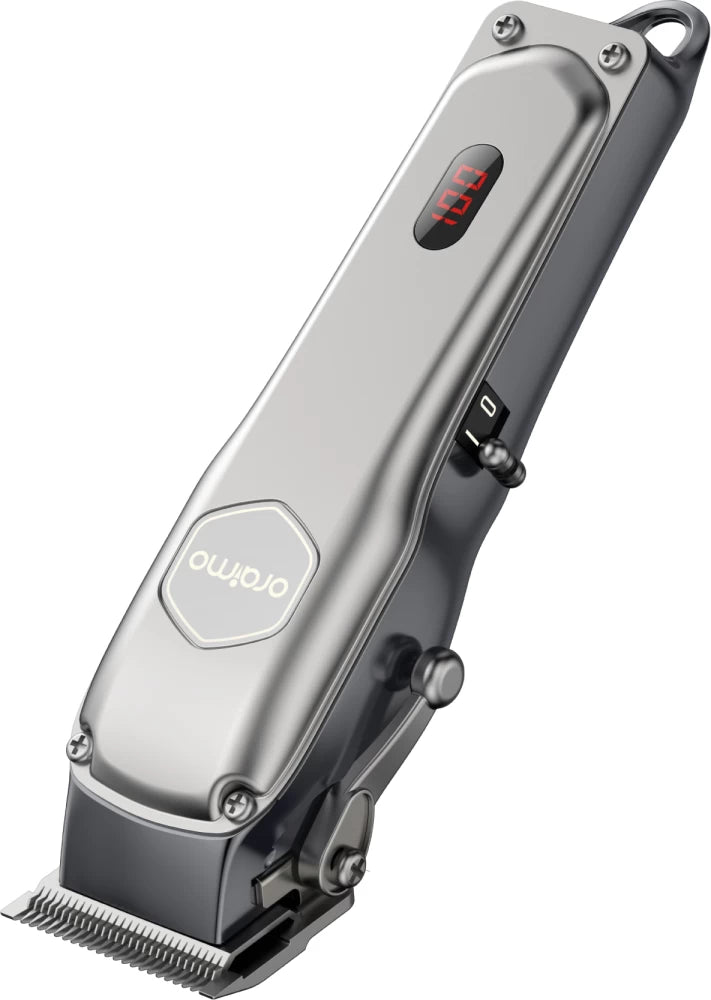
Oraimo OPC-CL30 SmartClipper 2 Cordless Hair Clipper
Regular price KSh3,700.00Sale price KSh3,700.00 Regular priceUnit price perKSh5,500.00Sale Sold out
-
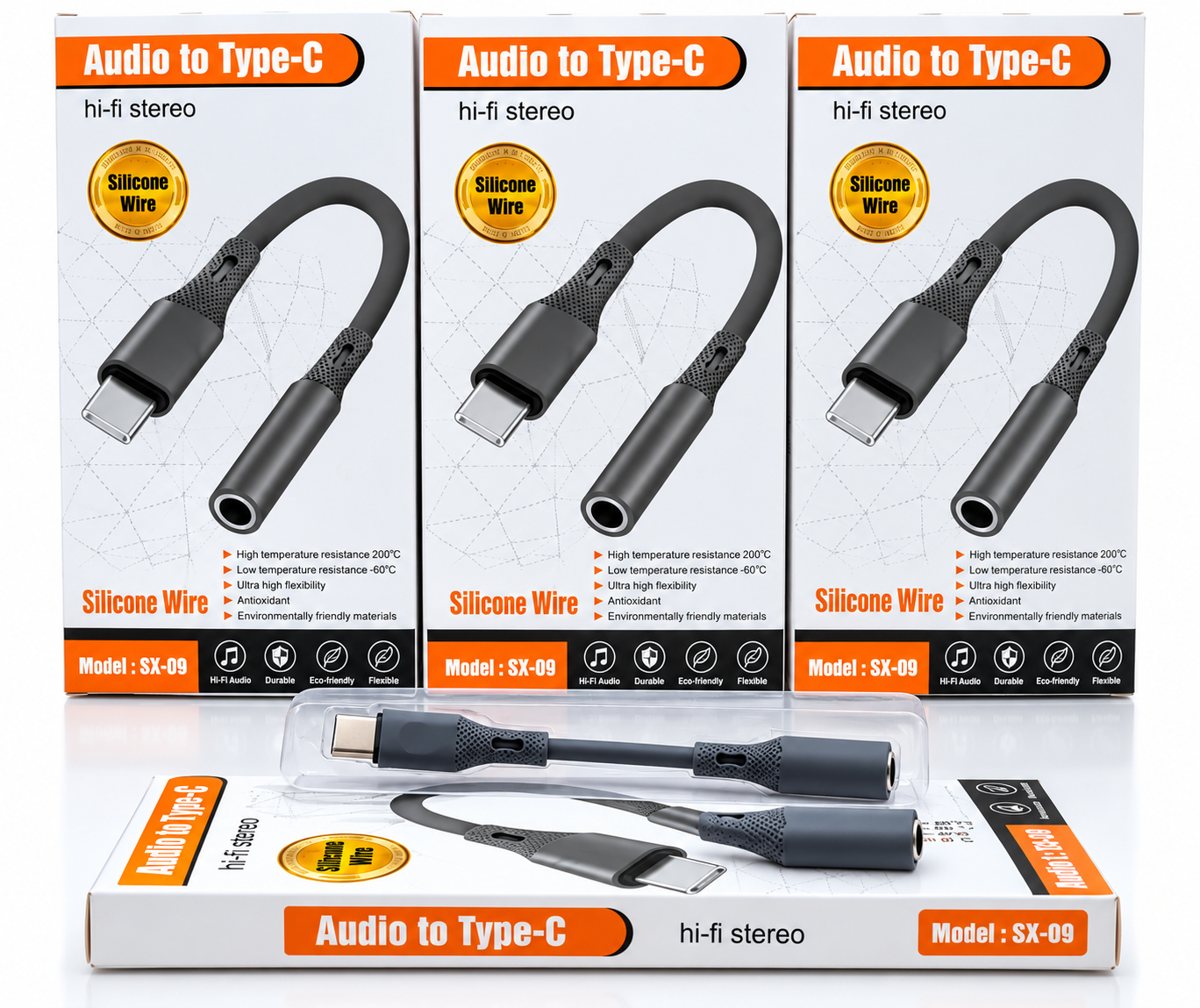
🎧 Audio to Type-C Hi-Fi Stereo Audio Adapter – Silicone Wire
Regular price KSh1,200.00Sale price KSh1,200.00 Regular priceUnit price perSale Sold out -
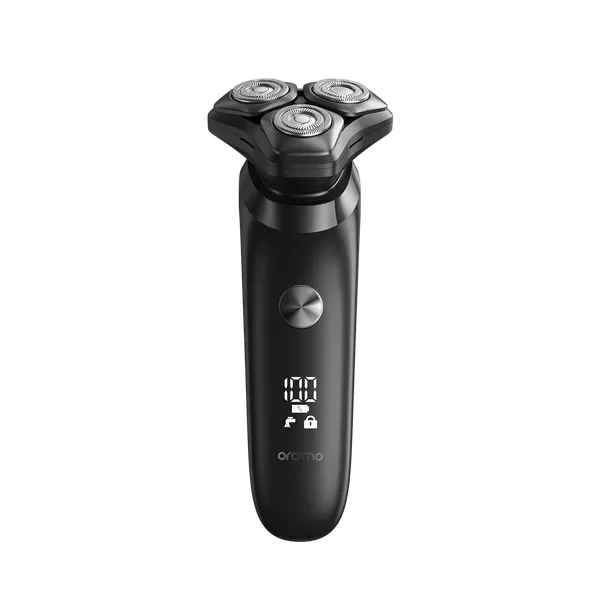
Oraimo ORS-280 EasyShave Multi-Functional Electric Shaver
Regular price KSh2,900.00Sale price KSh2,900.00 Regular priceUnit price perSale Sold out -
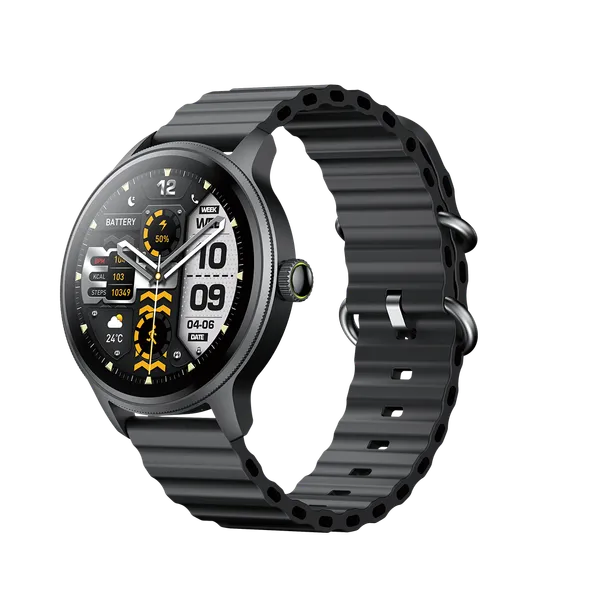
Oraimo Watch 5R Pro Smartwatch | Advanced Health & Fitness Tracker
Regular price KSh5,800.00Sale price KSh5,800.00 Regular priceUnit price perSale Sold out
Testimonials
Brian M., Nairobi
Customer, NairobiI ordered a Samsung Galaxy S23 Ultra, and I was amazed by how fast the delivery was! The phone arrived in perfect condition, well packaged, and exactly as described. Highly recommend!
Janet K., Mombasa
Customer, MombasaI was looking for a reliable power bank, and I found a great deal on a Baseus 20,000mAh power bank here. Will definitely shop again!
Kelvin O., Kisumu
Customer, KisumuI was skeptical about buying a smartwatch online, but I’m so glad I did! The Apple Watch Series 9 I bought is 100% original, works perfectly, and came in a sealed box. Best online electronics store in Kenya!
Samantha N., Nakuru
Customer, NakuruThe team here is amazing! I bought a JBL PartyBox speaker, and they helped me choose the right model based on my needs. The delivery was fast, and they even followed up to ensure I was satisfied. That’s top-notch service!
Alex W., Eldoret
Customer, EldoretI got a Sony 55-inch 4K Smart TV from this website.The picture quality is amazing, and the sound is clear. The delivery was quick, and setting it up was easy. Definitely my go-to store for electronics!
Bestseller
-
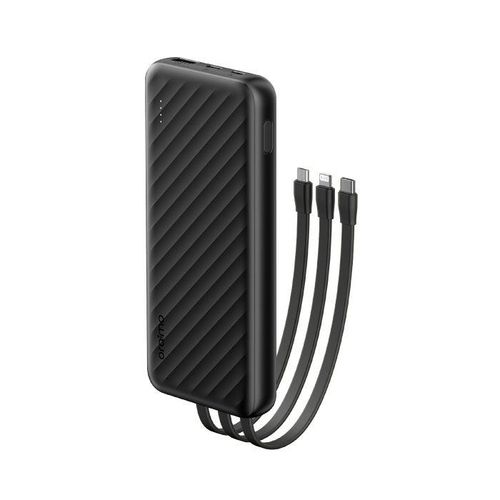
Oraimo Slice Link 10000mAh 12W Power Bank
Regular price KSh1,900.00Sale price KSh1,900.00 Regular priceUnit price perKSh2,200.00Sale Sold out -
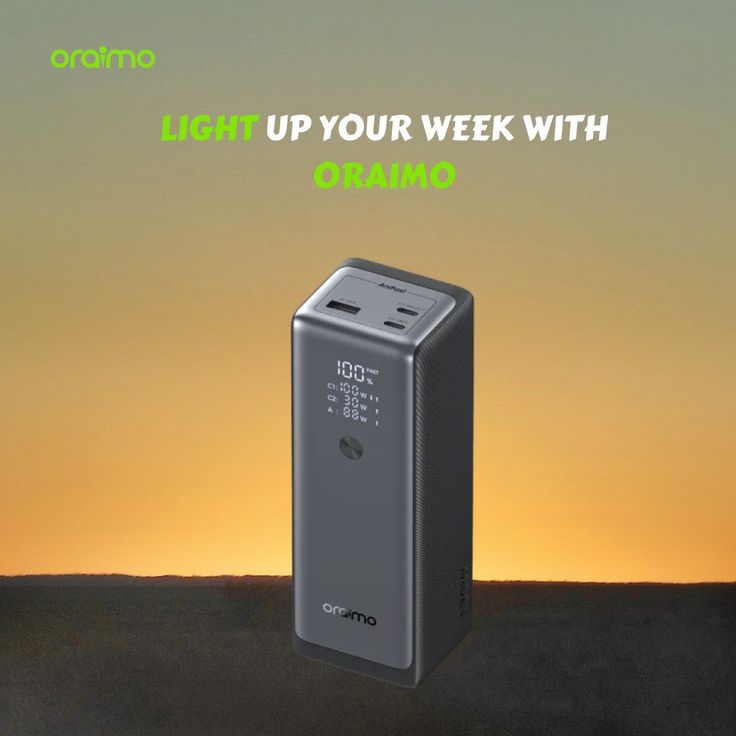
Oraimo PowerJet 130 Power Bank for Laptops and Phones Output 130W
Regular price KSh6,500.00Sale price KSh6,500.00 Regular priceUnit price perSale Sold out -
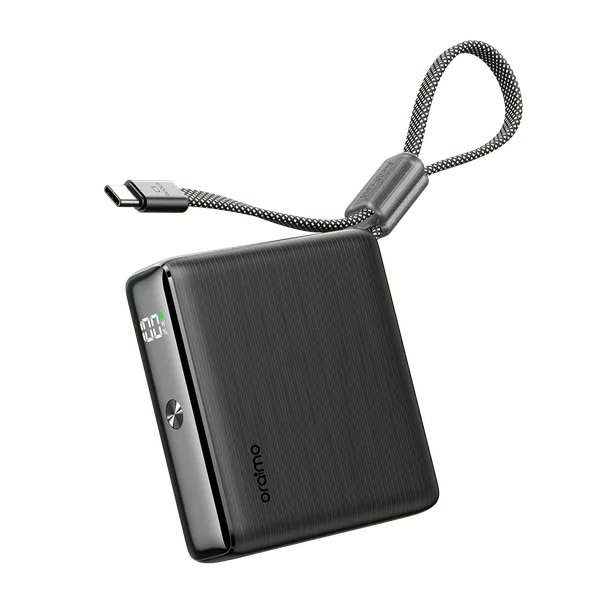
Oraimo PowerNova L21 20,000mAh 30W Fast-Charge Power Bank
Regular price KSh5,500.00Sale price KSh5,500.00 Regular priceUnit price perSale Sold out
-
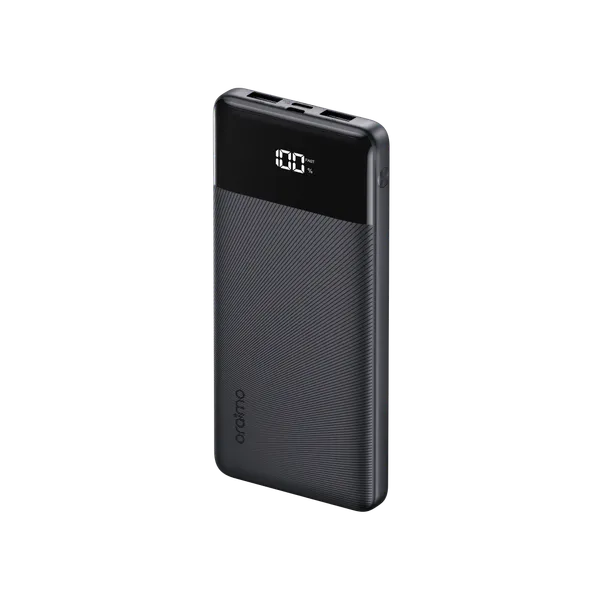
Oraimo Toast 22.5 Byte OPB-7100Q 10,000mAh 22.5W Power Bank – Fast Charging with LED Digital Display
Regular price KSh1,800.00Sale price KSh1,800.00 Regular priceUnit price perSale Sold out -
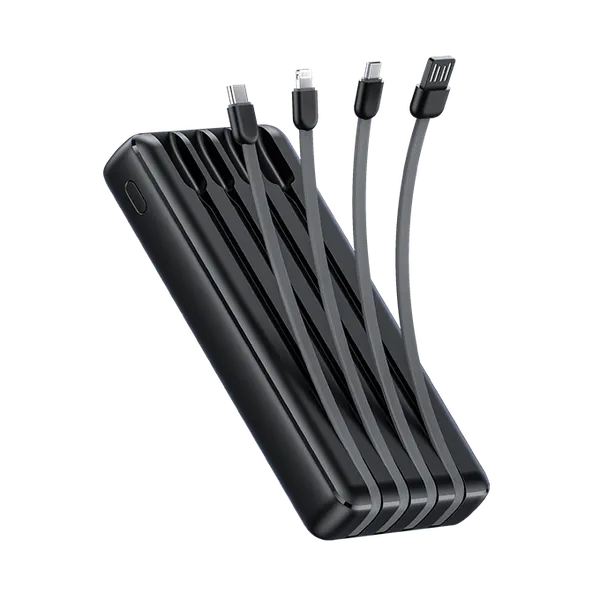
Oraimo Traveler Link 20 20000mAh 12W Power Bank – Reliable High-Capacity Portable Charger
Regular price KSh2,600.00Sale price KSh2,600.00 Regular priceUnit price perSale Sold out -
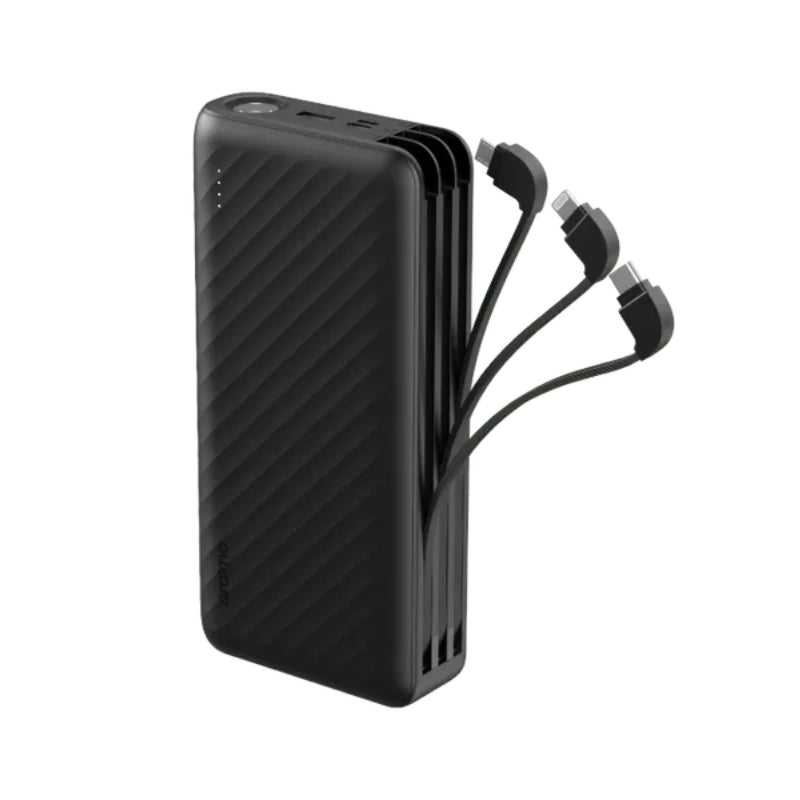
Oraimo Traveller Link 27 – 27,000mAh Power Bank with Built-in Cables
Regular price KSh3,500.00Sale price KSh3,500.00 Regular priceUnit price perSale Sold out
