




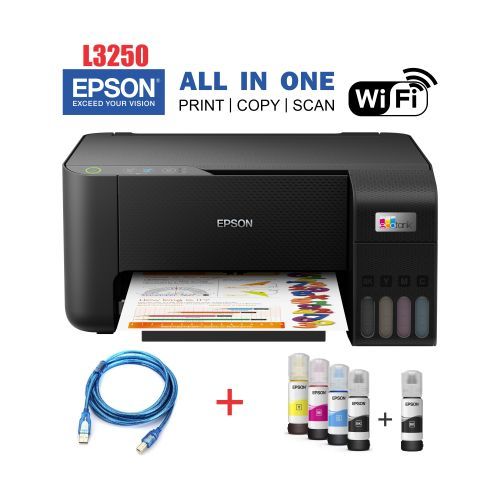
Epson Eco-Tank L3250 Wi-Fi All-in One Ink Printer
Couldn't load pickup availability
Description
Epson L3250 Price in Kenya: Wi-Fi EcoTank Printer at Zentech
Condition: Brand new, official 1–2 year manufacturer warranty.
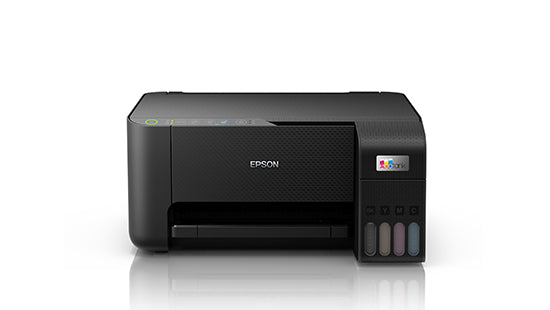
The Epson EcoTank L3250 is an A4 colour printer that prints, scans and copies. Instead of cartridges it has ink tanks on the front that you refill from bottles, and it connects over Wi-Fi, so you can print from a phone or laptop anywhere in the house or office. We sell it for homes, students and small offices that print every week and want to stop buying cartridges.
Below you'll find the full specs, how to set it up, and how it compares with the other ink tank printers we stock.
Key Highlights
- Print, scan and copy in one compact A4 printer
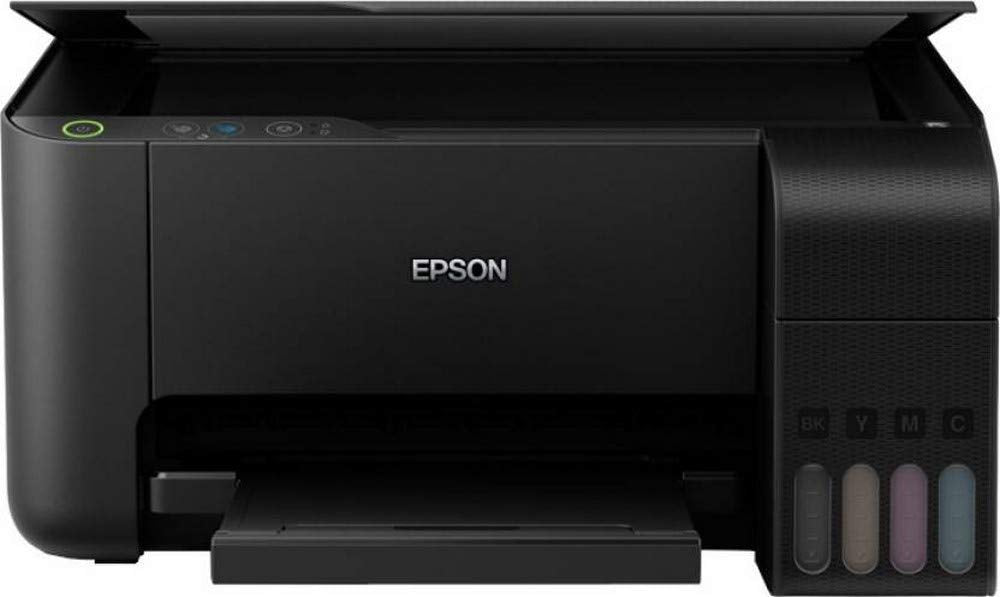
- Front ink tanks you can see through, so you always know how much ink is left
- One black 003 bottle prints up to 4,500 pages; a set of colour bottles up to 7,500 pages (Epson figures)
- Wi-Fi and Wi-Fi Direct: up to 8 phones or laptops can connect directly, even without a router
- Print, scan and check ink from your phone with the Epson Smart Panel app
- Sharp text and photos at up to 5,760 x 1,440 dpi
- Borderless photo prints up to 4R (10 x 15 cm)
- Heat-Free printing: about 12 W while working and 0.7 W in sleep mode
Detailed Description of the Epson L3250
Print Quality and Speed
The L3250 uses Epson's Heat-Free technology. The print head doesn't heat the ink to fire it, so there is no warm-up before a job and the printer draws little power: Epson rates it at 12 W while working, 4.5 W on standby and 0.7 W asleep.
Print resolution goes up to 5,760 x 1,440 dpi, which keeps small text in assignments and invoices crisp. In Epson's standard speed test (ISO/IEC 24734) it prints up to 10 black or 5 colour pages a minute. In draft mode, when you only need a quick copy, it reaches up to 33 black or 15 colour pages a minute.
003 Ink Tanks and Running Cost
The L3250 uses Epson 003 ink bottles in black, cyan, magenta and yellow. You pour each bottle into its tank on the front of the printer, and the clear tank windows show how much ink is left at a glance.
A single black bottle prints up to 4,500 pages and a set of colour bottles up to 7,500 pages, based on Epson's ISO test pages. Real numbers depend on how much of each page is covered, but because one set of bottles lasts thousands of pages, the cost per page stays low. This is the main reason people move from cartridge printers to an EcoTank.
How to Connect the Epson L3250 to Wi-Fi
There are two ways to connect the L3250 to Wi-Fi. The easiest is the Epson Smart Panel app, which walks you through setup on your Android phone or iPhone. If your router has a WPS button, you can also connect using the buttons on the printer:
- Hold the WPS button on your router until its security light flashes.
- Hold the Wi-Fi button on the printer for at least five seconds, until the two lights flash one after the other.
- When the light stays on, the printer is connected.
- If both lights flash together, the connection failed. Press the printer's Wi-Fi button to clear it, restart the router, move it closer to the printer and try again.
Printing from Your Phone or Laptop
With no router at all, Wi-Fi Direct lets up to 8 phones, tablets or laptops connect straight to the printer. That suits a small office, a shop counter or a home where the internet is off. Epson Smart Panel handles printing, scanning and ink checks from your phone, and Epson iPrint and Email Print are also supported.
To use it with a laptop, connect the USB cable or join the laptop and printer to the same Wi-Fi network, then install the Epson L3250 driver (see Drivers and Software below).
Scanning and Copying
The scanner is a flatbed with a 1,200 x 2,400 dpi sensor and takes originals up to 216 x 297 mm, just over A4. It handles ID copies, certificates, receipts and handwritten notes. To scan a document, place it face down on the glass, lined up with the corner mark, then scan from Epson ScanSmart on a computer or from the Smart Panel app on your phone.
Copying needs no computer: put the page on the glass and use the copy buttons on the printer.
Paper and Borderless Photos
The rear tray holds up to 100 sheets of 80 g/m² plain paper or 20 sheets of glossy photo paper, and the output tray takes up to 30 printed sheets. It prints on A4, A5, A6, B5, B6, Letter, Legal, 4 x 6 in, 5 x 7 in and envelopes (DL, C6, #10). Photos print without borders up to 4R (10 x 15 cm), which is the standard size for family albums and passport photo sheets.
Epson 003 Genuine Ink Bottle Yields
The Epson EcoTank L3250 uses original Epson 003 dye ink bottles with keyed auto-stop nozzles for mess-free refilling:
| Ink Colour | Epson Order Code | Bottle Volume | Rated Page Yield |
|---|---|---|---|
| Warranty | Official 1–2 year manufacturer warranty | ||
| Black | 003 (C13T00V100) | 65 ml | Up to 4,500 pages |
| Cyan | 003 (C13T00V200) | 65 ml | Up to 7,500 pages (composite) |
| Magenta | 003 (C13T00V300) | 65 ml | Up to 7,500 pages (composite) |
| Yellow | 003 (C13T00V400) | 65 ml | Up to 7,500 pages (composite) |
Care: Ink Levels and Print-Head Cleaning
Check the ink by looking at the tanks. Epson warns that printing for a long time with ink below the lower line can damage the printer, so refill before it gets there.
If prints show faint lines or gaps, run a nozzle check and clean the print head using the printer's buttons:
- Load A4 plain paper and turn the printer off.
- Turn it on while holding the Stop button, and let go when the power light flashes. A nozzle check pattern prints.
- If some lines are missing, hold the Stop button for five seconds until the power light flashes. Head cleaning starts.
- When the light stops flashing, print the pattern again. Repeat until all lines print.
Don't turn the printer off or open the front cover while it cleans. Cleaning uses ink, so if three rounds don't fix it, leave the printer for at least 12 hours before trying again.
Drivers and Software
Download the Epson L3250 printer and scanner drivers only from Epson's official L3250 support page. The installer sets up the print driver and scanning software on Windows (XP to 10) or Mac (OS X 10.6.8 or later).
Epson L3250 Specifications
| Specification | Epson EcoTank L3250 |
|---|---|
| Functions | Print, scan, copy |
| Printing technology | Heat-Free, on-demand inkjet (piezoelectric) |
| Print resolution | Up to 5,760 x 1,440 dpi |
| Print speed (ISO/IEC 24734) | Up to 10 ipm black, 5 ipm colour |
| Draft speed | Up to 33 ppm black, 15 ppm colour |
| Scanner | Flatbed, CIS sensor, 1,200 x 2,400 dpi, up to 216 x 297 mm |
| Connectivity | USB 2.0, Wi-Fi, Wi-Fi Direct (up to 8 devices) |
| Mobile and cloud | Epson Smart Panel, Epson iPrint, Epson Email Print, Remote Print Driver |
| Ink | Epson 003 bottles: black, cyan, magenta, yellow |
| Ink yield | Black up to 4,500 pages; colour up to 7,500 pages |
| Paper input | 100 sheets plain paper (80 g/m²) or 20 sheets glossy photo paper |
| Paper output | 30 sheets plain paper |
| Paper sizes | A4, A5, A6, B5, B6, Letter, Legal, 4 x 6 in, 5 x 7 in, envelopes (DL, C6, #10) |
| Borderless printing | Up to 4R (10 x 15 cm) |
| Two-sided printing | Manual |
| Power supply | AC 220–240 V |
| Power use | 12 W operating, 4.5 W standby, 0.7 W sleep, 0.2 W off |
| Operating systems | Windows XP to 10, Mac OS X 10.6.8 or later |
| Size and weight | 375 x 347 x 179 mm, 3.9 kg |
Watch: Epson L3250 Setup Guide

Buyer Guidance: Who It Suits and What It Is Not
Who It Suits
- Homes and students: assignments, revision papers and photos printed straight from a phone.
- Small offices and shops: invoices, quotations, receipts and scanned documents, with several people sharing one printer over Wi-Fi.
- Anyone tired of cartridges: if you print every week, the 003 bottles last far longer than a cartridge set.
What It Is Not
- No automatic two-sided printing: you turn the pages over yourself. The Epson L4260 does it automatically.
- No document feeder: you scan and copy one page at a time on the glass.
- No screen: you set it up with the buttons and the Smart Panel app.
- No fax.
Epson L3250 vs Epson L3210 vs Canon G3410
Three ink tank printers we stock, side by side:
| Feature | Epson L3250 | Epson L3210 | Canon PIXMA G3410 |
|---|---|---|---|
| Functions | Print, scan, copy | Print, scan, copy | Print, scan, copy |
| Wi-Fi | Wi-Fi and Wi-Fi Direct | No (USB only) | Wi-Fi and Access Point mode |
| Phone app | Epson Smart Panel | No | Canon PRINT |
| Speed (ISO) | 10 / 5 ipm | 10 / 5 ipm | 8.8 / 5 ipm |
| Max resolution | 5,760 x 1,440 dpi | 5,760 x 1,440 dpi | 4,800 x 1,200 dpi |
| Ink | Epson 003 | Epson 003 | Canon GI-490 |
| Screen | None (buttons and lights) | None (buttons and lights) | 1.2-inch mono LCD |
Choose the L3210 if the printer will sit next to one computer and you don't need phone printing. Choose the Canon G3410 if you already use Canon GI-490 ink or want a small status screen.
Pros & Cons
| Pros | Cons |
|---|---|
| Low cost per page with 003 refill bottles | Two-sided printing is manual |
| Wi-Fi and Wi-Fi Direct for phones and laptops | No document feeder for multi-page scans |
| Ink level visible on the front tanks | No screen; setup is through buttons or the app |
| Borderless photos up to 4R | Colour pages print at half the black speed |
| Compact at 3.9 kg; fits on a study desk | Cleaning the print head uses ink |
Official Specs and Reviews
- Official Epson EcoTank L3250 Product Page and Full Specifications
- Official Epson L3250 Support, Drivers and Software Downloads
Questions About the Epson L3250
Which ink does the Epson L3250 use?
Epson 003 ink bottles in black, cyan, magenta and yellow.
How many pages does one set of 003 ink print?
Up to 4,500 pages from the black bottle and 7,500 pages from a set of colour bottles, based on Epson's standard test. Pages with more colour or images use more ink.
How do I connect the Epson L3250 to Wi-Fi?
Use the Epson Smart Panel app, or press your router's WPS button and then hold the printer's Wi-Fi button for five seconds until the two lights flash one after the other.
How do I connect the Epson L3250 to my laptop?
Connect the USB cable, or put the laptop and printer on the same Wi-Fi network, then install the driver from Epson's L3250 support page.
Can I print from my phone without a router?
Yes. Wi-Fi Direct lets up to 8 phones or laptops connect straight to the printer.
How do I scan a document on the Epson L3250?
Place the page face down on the glass, then scan with Epson ScanSmart on a computer or the Smart Panel app on your phone.
How do I clean the print head on the Epson L3250?
Print a nozzle check first. If lines are missing, hold the Stop button for five seconds until the power light flashes, then print the check again when it stops.
How do I check the ink level?
Look at the front tanks. Refill before any colour drops below the lower line.
Does the Epson L3250 print on both sides automatically?
No. You turn the pages over yourself. For automatic two-sided printing, look at the Epson L4260.
Can it print borderless photos?
Yes, up to 4R (10 x 15 cm). The tray holds up to 20 sheets of glossy photo paper.
Where do I download the Epson L3250 driver?
From Epson's official L3250 support page, which has the printer and scanner drivers for Windows and Mac.
Epson L3250 or L3210: which should I buy?
Get the L3250 if you want to print from phones or share the printer over Wi-Fi. The L3210 prints the same way but connects by USB only.
Ready to Buy?
See the current Epson L3250 price in Kenya at the top of this page, or ask us on WhatsApp. You can see the printer at our shop at The Bazaar Plaza, Moi Avenue, 10th Floor, Wing A, Suite 1038, Nairobi CBD. We deliver the same day within Nairobi and by courier across Kenya, and accept M-Pesa, card, bank transfer, or cash on delivery within Nairobi.
Top Rated
-

Silicone AirPods Case – Slim, Durable & Stylish Protection Kenya
Regular price KSh750.00Sale price KSh750.00 Regular priceUnit price perKSh1,000.00Sale -

Oraimo OpenSnap Clip-On Earbuds, Open-Ear, Bluetooth, Comfort Fit
Regular price KSh3,499.00Sale price KSh3,499.00 Regular priceUnit price perSale -
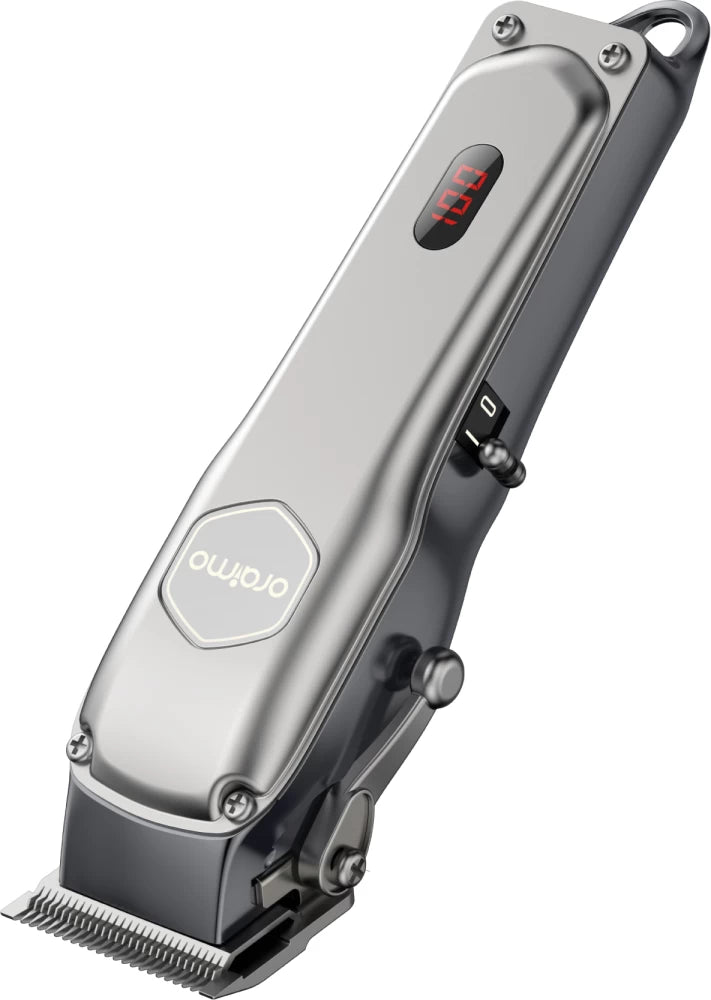
Oraimo OPC-CL30 SmartClipper 2 Cordless Hair Clipper
Regular price KSh3,700.00Sale price KSh3,700.00 Regular priceUnit price perKSh5,500.00Sale
-
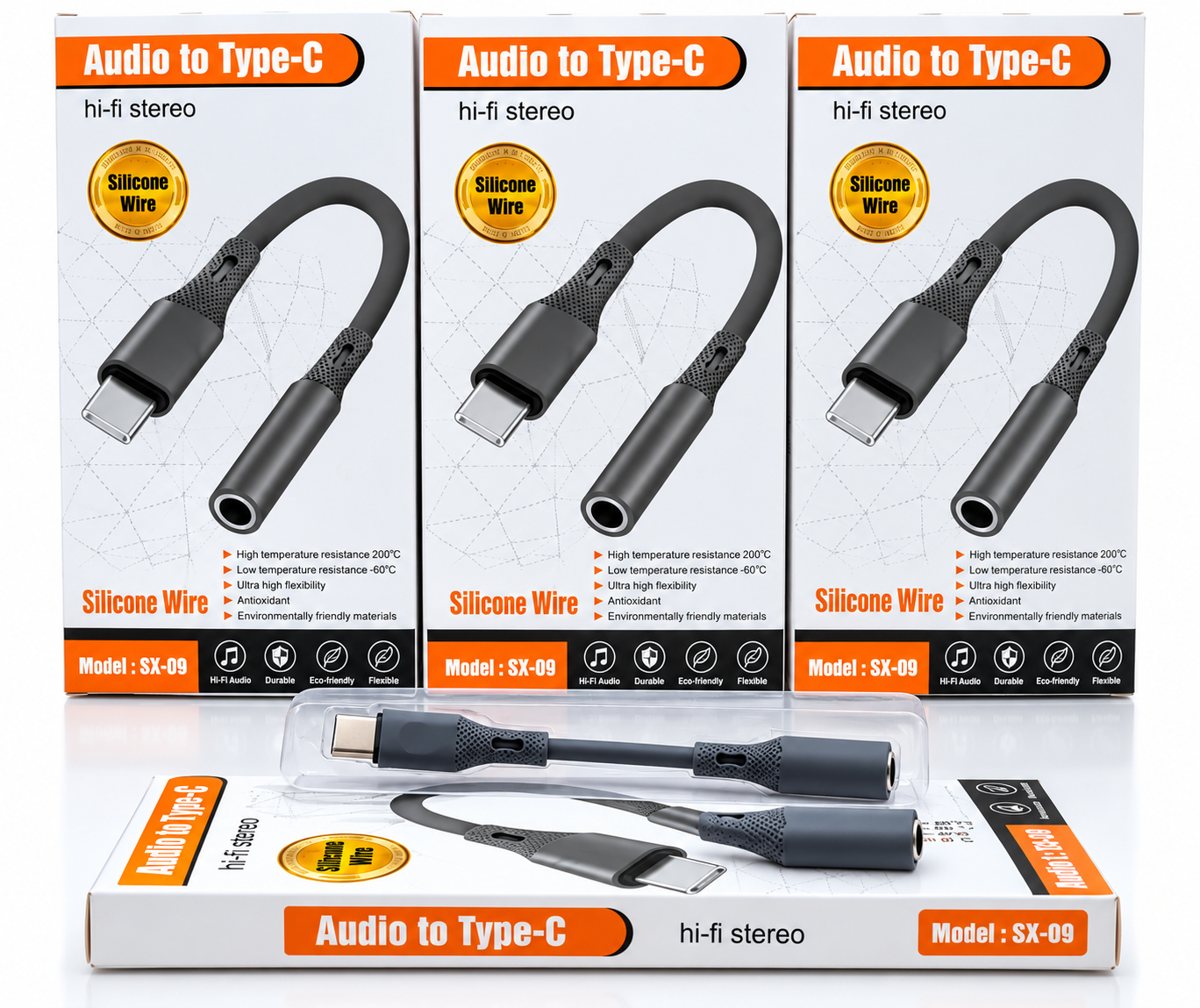
🎧 Audio to Type-C Hi-Fi Stereo Audio Adapter – Silicone Wire
Regular price KSh1,200.00Sale price KSh1,200.00 Regular priceUnit price perSale -
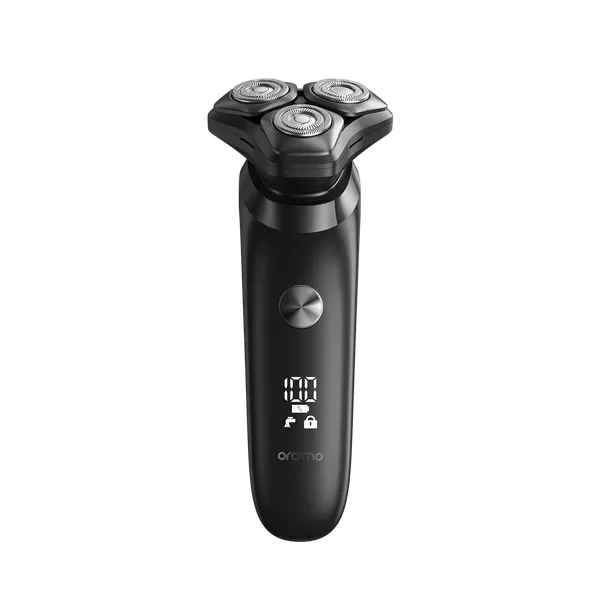
Oraimo ORS-280 EasyShave Multi-Functional Electric Shaver
Regular price KSh2,900.00Sale price KSh2,900.00 Regular priceUnit price perSale -
Oraimo Watch 5R Pro Smartwatch | Advanced Health & Fitness Tracker
Regular price KSh5,800.00Sale price KSh5,800.00 Regular priceUnit price perSale
Testimonials
Brian M., Nairobi
Customer, NairobiI ordered a Samsung Galaxy S23 Ultra, and I was amazed by how fast the delivery was! The phone arrived in perfect condition, well packaged, and exactly as described. Highly recommend!
Janet K., Mombasa
Customer, MombasaI was looking for a reliable power bank, and I found a great deal on a Baseus 20,000mAh power bank here. Will definitely shop again!
Kelvin O., Kisumu
Customer, KisumuI was skeptical about buying a smartwatch online, but I’m so glad I did! The Apple Watch Series 9 I bought is 100% original, works perfectly, and came in a sealed box. Best online electronics store in Kenya!
Samantha N., Nakuru
Customer, NakuruThe team here is amazing! I bought a JBL PartyBox speaker, and they helped me choose the right model based on my needs. The delivery was fast, and they even followed up to ensure I was satisfied. That’s top-notch service!
Alex W., Eldoret
Customer, EldoretI got a Sony 55-inch 4K Smart TV from this website.The picture quality is amazing, and the sound is clear. The delivery was quick, and setting it up was easy. Definitely my go-to store for electronics!
Bestseller
-
Oraimo Slice Link 10000mAh 12W Power Bank
Regular price KSh1,900.00Sale price KSh1,900.00 Regular priceUnit price perKSh2,200.00Sale -
Oraimo PowerJet 130 Power Bank for Laptops and Phones Output 130W
Regular price KSh6,500.00Sale price KSh6,500.00 Regular priceUnit price perSale -
Oraimo 27000mAh QF1 Power Bank – Fast Charging High Capacity Power Bank in Kenya
Regular price KSh3,000.00Sale price KSh3,000.00 Regular priceUnit price perSale
-
Oraimo PowerNova L21 20,000mAh 30W Fast-Charge Power Bank
Regular price KSh5,500.00Sale price KSh5,500.00 Regular priceUnit price perSale -
Oraimo Toast 22.5 Byte OPB-7100Q 10,000mAh 22.5W Power Bank – Fast Charging with LED Digital Display
Regular price KSh1,800.00Sale price KSh1,800.00 Regular priceUnit price perSale -
Oraimo Traveler Link 20 20000mAh 12W Power Bank – Reliable High-Capacity Portable Charger
Regular price KSh2,600.00Sale price KSh2,600.00 Regular priceUnit price perSale
